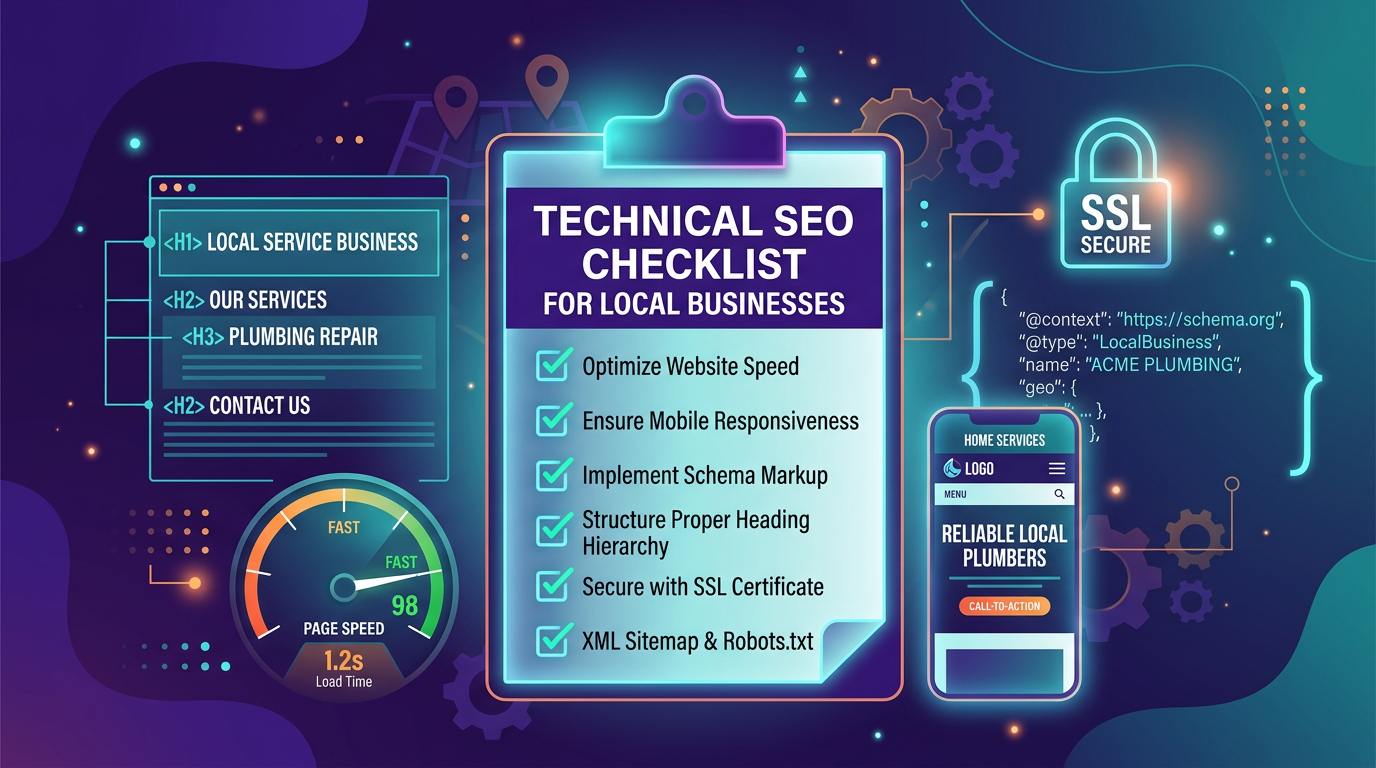
Technical SEO Checklist for Local Service Businesses
Why Technical SEO Matters for Local Businesses
You can write the best content in your industry and still not rank if your website's technical foundation is broken. Technical SEO is the infrastructure that allows search engines to find, crawl, index, and rank your pages. When it works, you do not notice it. When it does not, nothing else you do matters.
For local service businesses, technical SEO issues are especially common. Many sites are built on generic templates, managed by non-technical owners, and rarely audited after the initial launch. The result is a website that looks fine to visitors but is full of issues that prevent search engines from properly indexing and ranking it.
This checklist covers every technical SEO element that matters for a local service business. Work through it systematically, and you will eliminate the invisible barriers holding your site back.
Site Speed and Performance
Page Load Time
Your pages should load in under 2.5 seconds on a mobile connection. Use Google PageSpeed Insights to test your key pages (homepage, top service pages, contact page).
Common fixes:
- Compress images to WebP format and serve them at the correct display size
- Enable browser caching and GZIP/Brotli compression
- Remove unused CSS and JavaScript
- Use a Content Delivery Network (CDN) for static assets
- Defer loading of non-critical scripts (chat widgets, analytics, social embeds)
Core Web Vitals
Google measures three specific performance metrics:
- Largest Contentful Paint (LCP): The largest visible element should render within 2.5 seconds. Usually the hero image or heading.
- Interaction to Next Paint (INP): The page should respond to user interactions within 200 milliseconds.
- Cumulative Layout Shift (CLS): Page elements should not shift around as the page loads. Target a CLS score below 0.1.
Check these in Google Search Console under the "Core Web Vitals" report. Pages that fail these metrics are at a ranking disadvantage.
Image Optimization
Images are typically the largest files on a local business website. Optimize every image:
- Use WebP or AVIF format instead of PNG or JPEG
- Set explicit width and height attributes to prevent layout shift
- Use responsive images with srcset for different screen sizes
- Lazy-load images below the fold
- Add descriptive alt text that includes the service and location when natural
If your current web design does not handle image optimization automatically, it is worth addressing during a redesign.
Mobile Optimization
Responsive Design
Google uses mobile-first indexing, meaning it evaluates the mobile version of your site first. Your website must be fully functional and readable on mobile devices:
- Text should be readable without zooming (minimum 16px body text)
- Buttons and links should have adequate tap targets (at least 48x48 pixels)
- No horizontal scrolling on any page
- Forms should be easy to fill out on mobile
- Phone numbers should be tappable (use tel: links)
Mobile Page Speed
Test your site's mobile speed separately from desktop. Mobile connections are slower and devices have less processing power. Pages that load in 1 second on desktop might take 4 seconds on mobile.
Use Google's Mobile-Friendly Test and PageSpeed Insights with the mobile setting selected.
Crawling and Indexing
XML Sitemap
Your site should have an XML sitemap that lists every page you want indexed. The sitemap should:
- Include all service pages, location pages, blog posts, and important static pages
- Exclude pages you do not want indexed (admin pages, thank-you pages, duplicate pages)
- Update automatically when you add or remove pages
- Be submitted to Google Search Console and Bing Webmaster Tools
- Be referenced in your robots.txt file
Robots.txt
Your robots.txt file tells search engines which parts of your site to crawl and which to skip. For most local businesses, the configuration is straightforward:
- Allow all major search engine bots to crawl the entire site
- Block admin areas, staging environments, and internal tools
- Reference your sitemap URL
- Do not accidentally block CSS, JavaScript, or image files (this prevents search engines from rendering your pages)
Crawl Errors
Check Google Search Console weekly for crawl errors:
- 404 errors: Broken pages that search engines tried to access. Fix with 301 redirects to relevant pages.
- Soft 404s: Pages that return a 200 status code but have thin or empty content. Either add content or return a proper 404.
- Server errors (5xx): Hosting issues that prevent access. Work with your host to resolve.
- Redirect chains: Multiple redirects in sequence (A redirects to B, which redirects to C). Simplify to direct redirects.
URL Structure
Clean, descriptive URLs help both search engines and users:
- Use lowercase letters and hyphens (not underscores or spaces)
- Include the service or topic in the URL slug
- Keep URLs short and descriptive
- Use a logical hierarchy (e.g., /solutions/plumbing-repair/ not /page-id-47/)
- Avoid URL parameters for important content pages
On-Page Technical Elements
Title Tags
Every page needs a unique, descriptive title tag:
- Include the primary keyword and location
- Keep it under 60 characters to avoid truncation
- Front-load the most important terms
- Make each title unique across the site
Example for a plumber: "Emergency Plumbing Repair in Las Vegas | 24/7 Service | [Business Name]"
Meta Descriptions
While not a direct ranking factor, meta descriptions influence click-through rates from search results:
- Write compelling 150-to-160-character descriptions for each page
- Include the primary keyword naturally
- Add a call to action ("Call for a free estimate")
- Make each description unique
Heading Hierarchy
Use headings (H1, H2, H3) to structure content logically:
- One H1 per page containing the primary topic
- H2s for major sections
- H3s for subsections within H2s
- Do not skip levels (do not jump from H1 to H3)
- Include relevant keywords in headings naturally
Canonical Tags
Canonical tags tell search engines which version of a page is the "official" version. This prevents duplicate content issues:
- Every page should have a self-referencing canonical tag
- If the same content appears at multiple URLs, all versions should point to the canonical URL
- Ensure canonical URLs match the exact URL format (www vs. non-www, HTTP vs. HTTPS)
Structured Data (Schema Markup)
Structured data is critical for local businesses and increasingly important for AI search optimization. Implement these schema types:
LocalBusiness Schema
The most important schema for any local service business. Include:
- Business name, address, phone number
- Business hours (including holiday hours)
- Service area (geo coordinates or named areas)
- Accepted payment methods
- Price range indicator
- Business categories
Service Schema
For each service you offer:
- Service name and description
- Service area
- Price range or starting price
- Estimated duration
- Related services
FAQ Schema
For FAQ sections on your pages:
- Each question paired with its answer
- Properly nested within the page's schema
Review Schema
If you display reviews on your site:
- AggregateRating for overall business rating
- Individual reviews with rating, author, and date
- Only use reviews that are genuinely from customers
Local SEO Technical Elements
Google Business Profile
Your GBP is a technical SEO asset. Ensure:
- NAP (Name, Address, Phone) matches your website exactly
- All relevant categories are selected
- Service areas are defined
- Business hours are current
- Photos are uploaded regularly (minimum monthly)
- GBP website link matches your canonical homepage URL
NAP Consistency
Your business name, address, and phone number should be identical across every platform:
- Your website (preferably in schema markup and visible text)
- Google Business Profile
- Yelp, BBB, and industry directories
- Social media profiles
- Online Yellow Pages and citation sites
Inconsistencies confuse search engines about which version is correct and can hurt rankings.
Local Landing Pages
If you serve multiple areas, create dedicated pages for each major service area:
- Unique content for each location (not just swapping the city name)
- Local references (neighborhoods, landmarks, local context)
- Embedded Google Map for the service area
- Local schema markup for each location page
- Internal links to relevant service pages
Security and Trust
SSL Certificate (HTTPS)
Your entire site must be served over HTTPS. This is a confirmed ranking factor and a trust signal for visitors:
- Ensure all pages load via HTTPS
- Set up automatic HTTP to HTTPS redirects
- Check for mixed content warnings (HTTP resources loaded on HTTPS pages)
- Renew your SSL certificate before it expires
Privacy and Legal Pages
Every business website should have:
- Privacy policy
- Terms of service
- Cookie notice (if using cookies for tracking)
- ADA accessibility statement
These pages build trust with both users and search engines.
Monitoring and Maintenance
Technical SEO is not a one-time project. Set up ongoing monitoring:
Monthly Checks
- Review Google Search Console for new crawl errors
- Check Core Web Vitals report for regressions
- Verify sitemap is current and submitted
- Scan for broken links using a crawler tool
- Review mobile usability report
Quarterly Checks
- Full site speed audit with PageSpeed Insights
- Schema markup validation using Google's Rich Results Test
- Competitive technical audit (compare your metrics to top competitors)
- Review and update structured data for accuracy
- Check all directory listings for NAP consistency
After Any Site Change
Whenever you update your website (new pages, redesign, hosting change), run a technical audit:
- Verify no new 404 errors
- Check that redirects are working
- Confirm sitemap updated automatically
- Test page speed on modified pages
- Validate schema markup on new or changed pages
Getting It Done
This checklist might feel overwhelming, especially if you are running a small business without a dedicated marketing team. The reality is that most local businesses only need to fix a handful of critical issues to see improvement. Start with the items that are completely broken (missing SSL, no sitemap, major speed issues) and work down from there.
For businesses that want to handle this systematically, our SEO services include a comprehensive technical audit as the first step. If you want to automate the ongoing monitoring and maintenance, explore how AI marketing agents can keep your technical foundation strong without manual effort.
Not sure where your site stands technically? Request a free technical SEO audit and we will identify your highest-priority fixes.
Ready to Elevate Your Digital Strategy?
Let our team of experts help you achieve your marketing goals with AI-powered strategies tailored to your business.